
18th December 2025
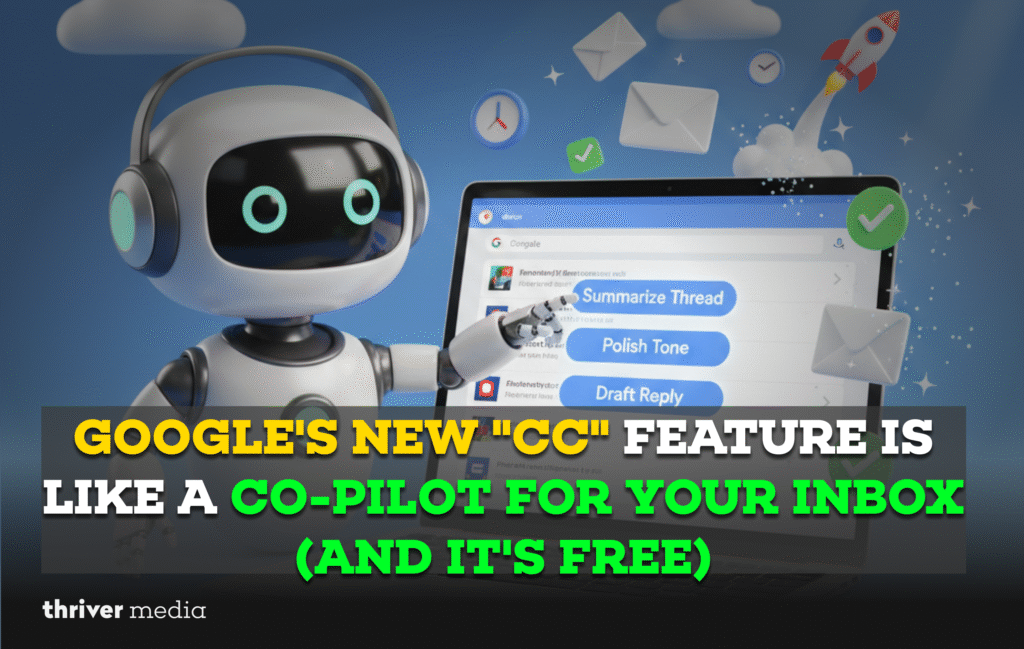
Let’s be real: your email inbox is probably a battlefield. Between the urgent requests, the sprawling project threads, and that one message you’ve been meaning to write for three days, it’s a wonder anything gets done. What if you could clone the most organized, articulate version of yourself to handle it?
That’s the vision behind Google’s latest power move. In a quiet but seismic shift, they’ve begun integrating their powerful Gemini AI directly into Gmail with a feature called “CC”. It’s rolling out now, and it’s poised to change how we all communicate not by replacing us, but by acting as a real-time, context-aware co-pilot for every single email.
Forget the clumsy, generic “smart replies” of the past. This is different. CC sits in the passenger seat of your inbox, map in hand, helping you navigate the traffic of daily communication. It reads the room, understands the history, and hands you exactly what you need to drive the conversation forward.
A Deep Dive: What “CC” Actually Does in Your Inbox
This feature is built for the real, messy scenarios of modern work. It’s not a party trick; it’s a productivity engine.
The Masterful Draftsmith
Imagine you get a long-winded email from a vendor with five different questions buried in three paragraphs. The old you would spend ten minutes parsing and crafting a response. The new you? Highlight the email, click the sparkly CC button, and type: “Draft a concise reply answering each of their questions in a bulleted list, and ask for a quote by Friday.”
- What happens: Gemini instantly digests the entire thread, extracts the key queries, and generates a perfectly structured, polite, and comprehensive draft in a fresh compose window.
- The magic: It doesn’t just parrot words. It understands intent and structure, saving you from the mental heavy lifting of organizing a complex response.
The Sherlock Holmes of Threads
You’re CC’d on a project thread that’s been active for two weeks with 47 messages. Instead of the sinking feeling of hitting “Load more messages” 14 times, you click the CC button at the top of the chain and ask: “What are the three key decisions made here, and who is responsible for the next action items?”
- What happens: In seconds, you get a clear, concise summary that cuts through the “thanks!” and “following up!” emails to deliver only the critical project intelligence.
- The magic: It transforms information from “overwhelming” to “actionable,” letting you contribute meaningfully in minutes, not hours.
Your Personal Tone Editor
You’ve drafted a quick reply to a colleague, but it reads a bit terse. You’re not trying to be short; you’re just busy. Before hitting send, you select your text and ask CC: “Make this sound more collaborative and friendly.”
- What happens: It rephrases your message, adding the right touch of warmth and openness without losing the core message. It can also do the opposite: take a rambling draft and “Make this more direct and executive-summary style.”
- The magic: It ensures your emotional intent matches your professional output, smoothing over potential miscommunications before they happen.
The Insta-Organizer
You need to prepare for a meeting and remember an important number a client sent. Instead of frantic searching, you open a new email draft (addressed to yourself) and ask CC: “Find the revenue projection for Q4 that [Client Name] sent last month.”
- What happens: It scours your emails, locates the relevant message, and can even extract the specific figure or paragraph you need, ready for you to drop into your presentation.
- The magic: It turns your inbox from a black hole of information into a queryable database, putting collective memory at your fingertips.
FAQs: Everything You Need to Know About Your New Email Partner
Google states your data is processed only to generate responses, similar to Smart Compose, and is not used for ads. Review their Privacy Policy. Enterprise data follows Workspace compliance standards.
It’s rolling out gradually (from May 22, 2024). It may take up to 15 days to appear. Use the standard Gmail web interface and look for a sparkle or labs (beaker) icon in the compose window.
Currently free for personal accounts and many Workspace tiers with Gemini access. Google may introduce premium tiers for advanced features later.
No. It only creates drafts. You must review, edit, and manually click Send every time.
Full details are on the Google Workspace Blog.
CC by Gemini: Your Inbox Toolkit
| Scenario | Your Old Workflow | With CC by Gemini | Time & Stress Saved |
| Replying to a Complex Query | Read and re-read emails, open a document to outline, draft, revise multiple times. | Highlight the message, prompt CC, review the draft, then add a personal touch. | ~8 minutes |
| Joining a Long Thread | Skim 50+ emails, take notes, and still miss key context or decisions. | Ask CC for a summary and get clear bullet points with decisions and owners. | ~15 minutes |
| Polishing a Critical Message | Draft carefully, second-guess tone, and ask a colleague to review. | Use a “tune this” prompt and instantly see professional tone options. | ~5 minutes + social capital |
| Finding Lost Information | Search keywords, scroll endlessly, open multiple emails, and copy-paste details. | Ask a natural-language question and get the exact extracted answer. | ~7 minutes of frustration |
The Bottom Line: More Than a Feature, a Shift in Philosophy
Google’s CC feature represents a fundamental shift from reactive email tools (filters, labels) to proactive communication assistance. It’s the first mainstream tool that doesn’t just manage your messages but actively helps you think and communicate within them. The potential for reducing daily cognitive load, preventing miscommunication, and reclaiming hours per week is staggering.
Conclusion: The End of Email Drudgery?
We’ve been promised “the future of email” before. But this feels different. It’s practical, integrated, and immediately useful. By embedding Gemini’s intelligence directly into the fabric of Gmail, Google isn’t just adding a button they’re upgrading the very medium of professional communication. It acknowledges that our biggest inbox problem isn’t volume; it’s the mental tax of constant composition and context-switching.
Get ready. The era of staring at a blank compose window is coming to a close. The era of having a brilliant collaborator right there with you is just beginning.
Disclaimer: The news and information presented on our platform, Thriver Media, are curated from verified and authentic sources, including major news agencies and official channels.
Want more? Subscribe to Thriver Media and never miss a beat.