
20th February 2026
Why a Beautiful WordPress Website Still Fails Without SEO Strategy
It’s a scenario I see all too often: a business invests thousands in a beautiful, custom WordPress website. The design is flawless, the user experience is smooth, and the brand messaging is on point. But months go by, and the phone doesn’t ring. The contact form remains empty. Why? Because Google can’t find it.
WordPress, for all its power, is just the foundation. It’s the empty lot where you plan to build a house. If you don’t put up street signs (technical SEO), design a functional layout (content strategy), and build pathways to the front door (backlinks), no one will ever visit. Relying on the platform alone for visibility is like opening a store in the desert and hoping for foot traffic.
To truly turn your site into a growth engine, you need a strategic approach. This is where a professional WordPress SEO service steps in, transforming your website from a digital brochure into a lead-generating machine. Having worked with countless businesses to navigate the complexities of search, I’ve boiled down the process to seven core, actionable strategies that consistently deliver long-term results.
Let’s dive into the tactics that will move the needle and help you claim your space on the first page of Google.
1. Start with a Strong Technical SEO Foundation
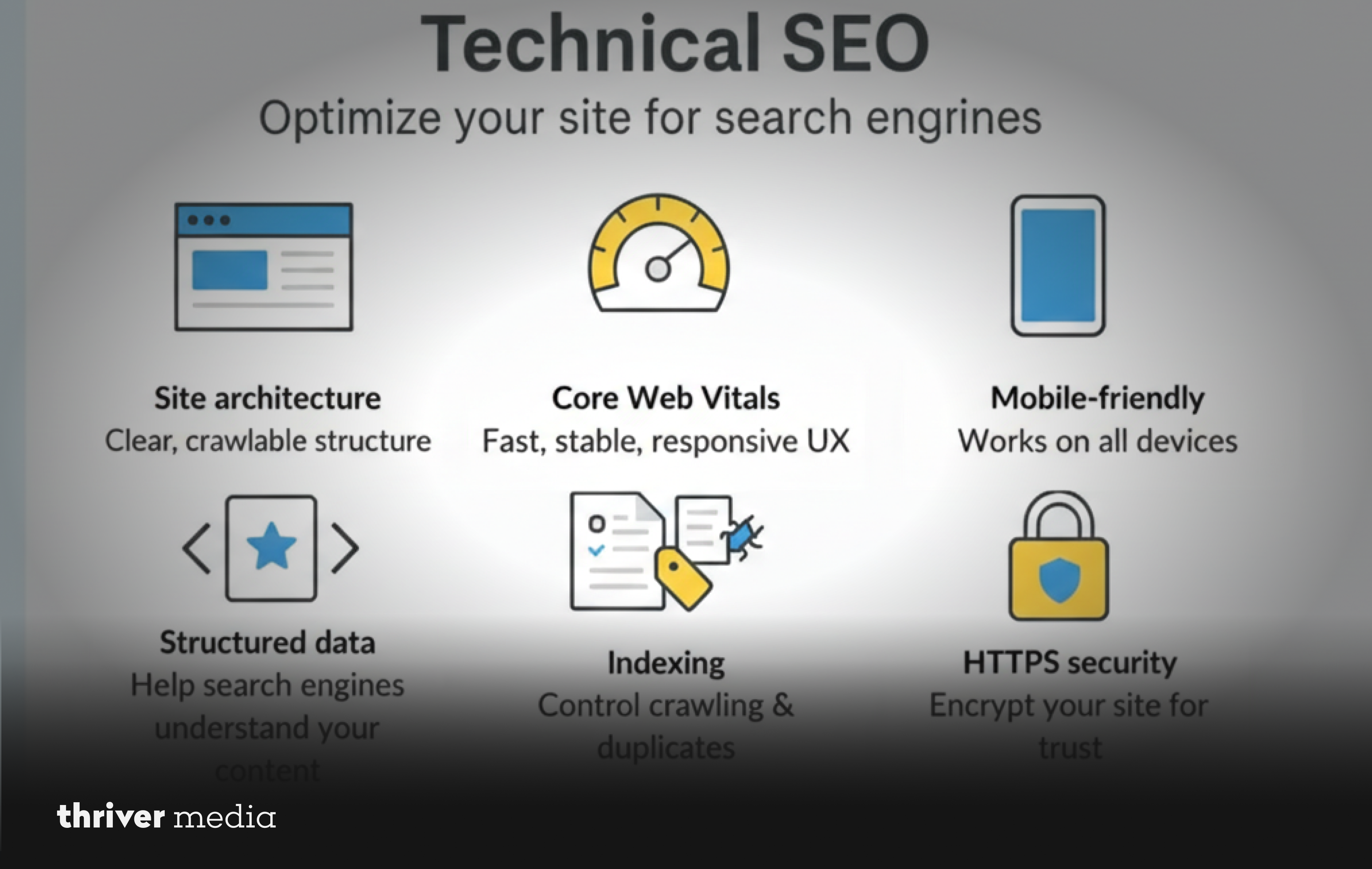
You wouldn’t build a skyscraper on sand, and you shouldn’t build your SEO strategy on a weak technical foundation. Technical SEO is the bedrock of your online visibility. It’s the process of ensuring your website meets the technical requirements of modern search engines for crawling and indexing. If Googlebot can’t efficiently read and navigate your site, your high-quality content won’t matter.
When we talk about a robust WordPress SEO optimization service, this is always the first stop. It begins with your hosting environment. Is your host fast and reliable? Slow, shared hosting can cripple your site’s speed. Next, we look at security. Having an SSL certificate (HTTPS) is non-negotiable; Google flags sites without it as “Not Secure,” instantly eroding trust and harming rankings.
Then, we audit the framework. Is your site mobile-responsive? With Google’s mobile-first indexing, your site’s mobile version is the primary version used for ranking. Do you have a clean, logical permalink structure? A URL like /blog/seo-tips is infinitely better than /?p=123. We ensure your XML sitemap is submitted to Google Search Console, making it easy for search engines to discover all your important pages. Finally, we optimize for Core Web Vitals loading speed, interactivity, and visual stability. A technically clean site isn’t just preferred by Google; it provides a superior user experience, which is the ultimate goal.
2. Target Keywords Based on Search Intent

One of the biggest mistakes I see businesses make is falling in love with broad, high-volume keywords. Everyone wants to rank for “marketing agency” or “best coffee,” but competing for these terms is often a losing battle, especially for smaller brands. The key to smart keyword strategy isn’t just about volume; it’s about intent.
You need to understand why someone is typing a query into Google. Are they looking to buy (“commercial intent”), or are they just looking for information (“informational intent”)? Targeting the wrong intent with your content is a surefire way to increase your bounce rate.
For instance, if someone searches for “what is WordPress SEO,” they aren’t ready to buy your services yet. They want education. You satisfy that intent with a detailed blog post. If someone searches for “affordable WordPress SEO services for small businesses,” they have a problem and are actively looking for a solution provider. This is commercial intent, and you should target this keyword with a dedicated service page or a detailed case study.
This is where affordable WordPress SEO services for small businesses can truly shine. Smaller brands can compete by dominating long-tail, intent-rich keywords. Instead of aiming for “digital marketing,” target “digital marketing for local plumbers in Austin.” The traffic is lower, but the conversion rate is exponentially higher. A thorough competitor analysis will also reveal gaps in their strategy keywords they aren’t targeting that you can seize to gain a foothold.
3. Optimize On-Page Elements the Right Way
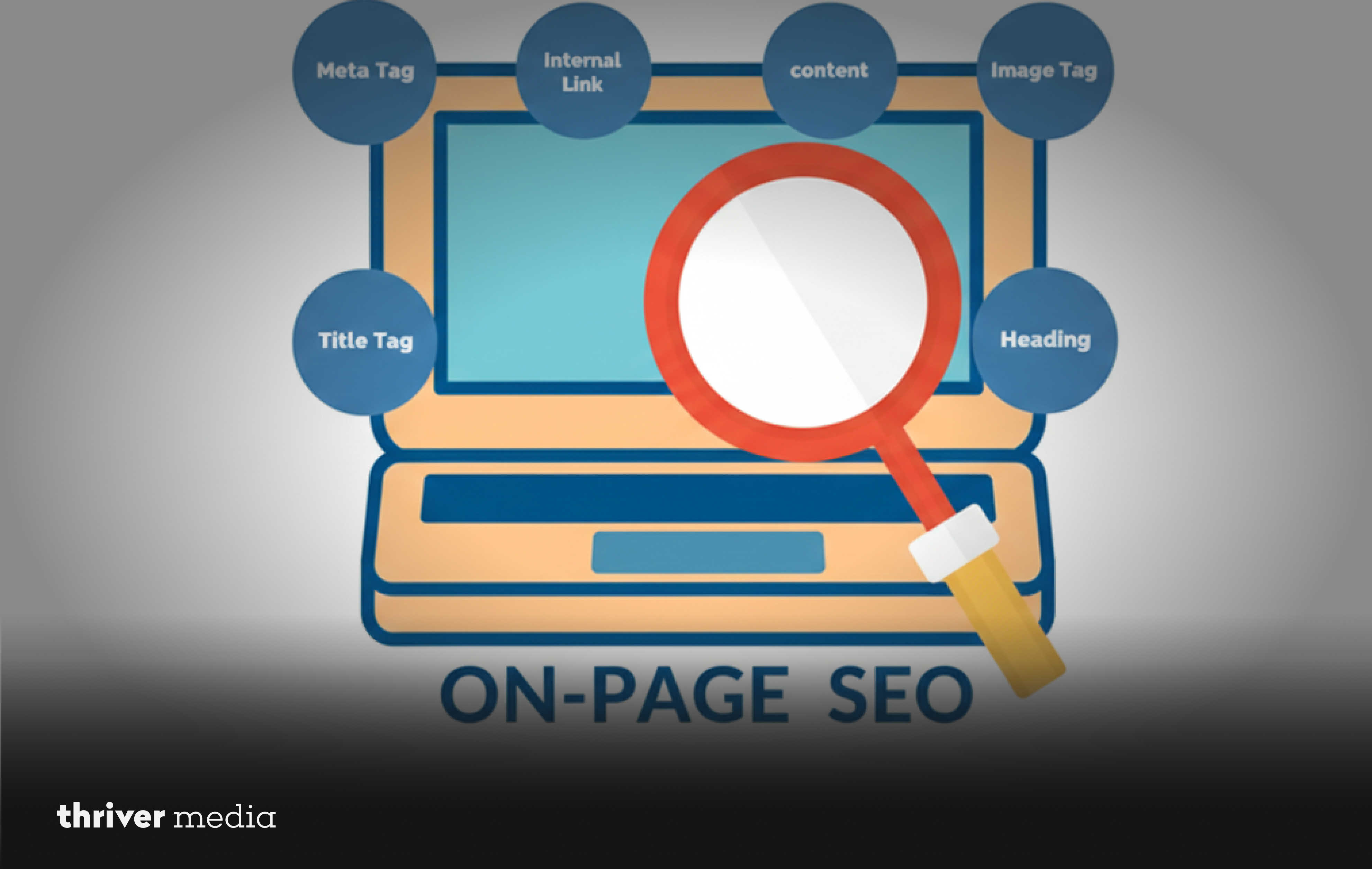
On-page SEO is the practice of optimizing individual web pages to rank higher. It’s a mix of art and science. Beginners might stuff a keyword into a page and call it a day, but how WordPress SEO expert services approach it is far more nuanced.
It starts with your title tag (the clickable headline in search results). It needs to be compelling, include your primary keyword near the beginning, and stay within the 60-character limit to avoid being cut off. Your meta description is your free advertising copy. It’s the short blurb under the title that convinces a user to click your link over the other nine on the page. Make it action-oriented and include a call to action.
We then move to the content structure. A clear header hierarchy (H1 for the main title, H2s for main sections, H3s for subsections) doesn’t just make your content scannable for readers; it helps Google understand the relative importance of the topics on your page. Internal linking is another cornerstone. By linking from your high-authority pages to newer or less visible ones, you pass “link juice” throughout your site, helping all your pages rank better.
Don’t overlook image optimization either. Descriptive file names and alt text (which describe the image for screen readers) provide another opportunity to signal relevance to search engines. And for advanced results, implementing schema markup (structured data) helps search engines understand your content contextually, enabling rich results like star ratings or event listings that make your listing stand out.
4. Create Evergreen, Authority-Driven Content
Content is still king, but not all content is created equal. In the world of SEO, we focus on “evergreen” content high-quality, comprehensive resources that remain valuable and relevant for months or even years. This is the type of content that builds your site’s authority over time, aligning perfectly with Google’s E-E-A-T guidelines (Experience, Expertise, Authoritativeness, and Trustworthiness).
The most effective strategy I’ve implemented is the topic cluster model. You start by creating a “pillar page” a comprehensive, long-form guide that covers a broad topic in depth (e.g., “The Ultimate Guide to WordPress SEO”). Then, you create multiple “cluster” blog posts that address specific subtopics (e.g., “How to Optimize Images for SEO,” “A Guide to WordPress Schema Markup”) and link them all back to the pillar page.
This structure creates a web of authority around a topic, signaling to Google that you are a definitive resource. But your work doesn’t end once you hit publish. A key part of an ongoing strategy is content maintenance. Regularly go back and update your old blog posts. Add new statistics, refresh outdated information, and improve the formatting. This “content refresh” can give a significant boost to pages that have lost steam over time. Always focus on answering the real questions your audience is asking.
5. Improve Site Speed and Performance

In our on-demand world, patience is a virtue very few possess. If your site takes more than a few seconds to load, your potential customer is gone, and so is your chance at a conversion. But it’s not just about user experience; site speed is a direct Google ranking factor.
Optimizing site speed requires a multi-pronged approach. First, implement a robust caching plugin. Caching creates static versions of your dynamic WordPress pages, delivering them to users much faster. Next, tackle your images. High-resolution photos are often the biggest culprit for slow load times. Before uploading any image to your media library, compress it. Tools and plugins can do this automatically without sacrificing noticeable quality.
Consider using a Content Delivery Network (CDN). A CDN stores copies of your site’s static files on servers around the world, so when someone in Europe visits your US-hosted site, they load files from a server in London, not Virginia. Finally, audit your theme and plugins. Bloated, poorly coded themes or an excess of plugins can bog down your site’s performance. Every line of code should have a purpose. A fast site doesn’t just rank better; it builds trust and significantly improves conversion rates.
6. Build Quality Backlinks Strategically
If on-page SEO and content are your website’s internal engine, backlinks are the external votes of confidence that tell Google, “This site is trustworthy and authoritative.” A backlink is essentially a citation from another website, and in the eyes of Google, not all citations are equal. One high-quality link from a respected, authoritative site in your industry is worth more than a hundred links from low-quality, spammy directories.
Building these links requires a strategic, proactive effort. A common starting point is guest posting on reputable industry blogs. But the goal isn’t just to get a link; it’s to provide genuine value to another publication’s audience, establishing your expertise in the process. Another powerful method is “digital PR” creating a compelling piece of original research, an insightful infographic, or a unique data study that other publications will naturally want to link to as a source.
For local businesses, ensuring your Name, Address, and Phone number (NAP) is consistent across local citations and directories is crucial. But the golden rule is to avoid shortcuts. Buying links or participating in link schemes is a violation of Google’s guidelines and can result in a manual penalty that will wipe your site from search results entirely. A sustainable, white-hat approach to link building is a cornerstone of any reliable WordPress SEO service.
7. Track, Measure, and Continuously Improve
SEO is not a “set it and forget it” project. It’s a continuous cycle of analysis, action, and refinement. You can’t improve what you don’t measure. To truly understand the impact of your efforts, you need to become best friends with data.
Google Search Console (GSC) is your direct line of communication with Google. It shows you which queries are bringing users to your site, how often your pages are appearing in search (impressions), your click-through rate (CTR), and your average position. It will also alert you to any crawling or indexing errors that need immediate attention. Google Analytics is your window into user behavior once they land on your site. What are your top-performing pages? Where are users dropping off? How long are they staying?
By combining this data, you can make informed decisions. If a page is ranking well (position 5-10) but has a low CTR, the problem might be a weak meta description or title. If a cornerstone piece of content is seeing a traffic decline, it might be time for an update. Rank tracking tools can also help you monitor your progress for specific keywords over time. The consistent theme here is ongoing optimization. This is why professional help, whether a full-scale retainer or targeted affordable WordPress SEO services for small businesses, is so valuable it provides the dedicated focus required for this continuous improvement cycle.
Frequently Asked Questions
Why do you need WordPress and SEO services?
You need a WordPress SEO service to turn your website into a visible, traffic-generating asset that ranks and converts.
What services does WordPress provide?
WordPress provides CMS functionality, while a WordPress SEO optimization service enhances rankings and performance.
Is WordPress a CRM or CMS?
WordPress is a CMS, and WordPress SEO expert services optimize it for search visibility.
Does WordPress offer SEO services?
WordPress is SEO-friendly, but professional WordPress SEO services handle strategy and execution.
Can I learn WordPress in 3 days?
You can learn basics quickly, but mastering WordPress SEO services requires real expertise and experience.
Conclusion
Boosting your WordPress site’s rankings isn’t about luck or guesswork. It’s about systematically applying these seven pillars of modern SEO: a rock-solid technical foundation, smart keyword targeting, meticulous on-page optimization, valuable content creation, lightning-fast performance, strategic backlink building, and data-driven continuous improvement.
SEO is a long-term investment in your digital real estate. While results don’t happen overnight, the compounding effect of these strategies builds an asset that consistently delivers qualified traffic and sustainable business growth. By committing to this process, you move beyond hoping for visibility and start engineering it.
How Thriver Helps You Grow Your Business
At Thriver, we believe your website should be your hardest-working employee. We don’t just offer a checklist of tasks; we position ourselves as a growth-focused partner dedicated to turning your WordPress site into a measurable revenue channel.
We provide a comprehensive WordPress SEO service that begins with a deep-dive technical audit and aligns with your unique business goals. From technical optimization and content strategy to performance tracking, we handle the heavy lifting. We pride ourselves on delivering affordable WordPress SEO services for small businesses that need a powerful online presence without the enterprise price tag. We focus on transparency, strategic planning, and measurable growth, ensuring that every optimization moves you closer to your objectives.
If you’re ready to stop settling for a website that just sits there and start building a tool that actively grows your business, we’re here to help.
Contact Thriver today and let’s start building rankings that last.
Want more? Subscribe to Thriver Media and never miss a beat.