
A Practical Educational Guide for Marketers, Developers & SEO Professionals
6th March 2026
Introduction: Where AI Meets SEO Automation
SEO rewards those who process data fastest. For years, professionals relied on tools like Semrush, Ahrefs, Screaming Frog, and Google Search Console. Each excelled at specific tasks but lacked integration, resulting in fragmented workflows, manual reporting, and scaling limited by human bandwidth.
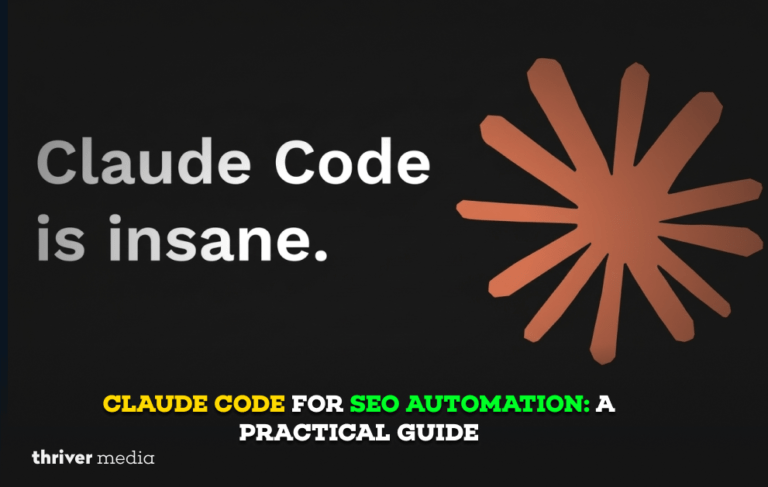
Claude Code changes the equation. As Anthropic’s agentic AI coding tool, Claude Code enables SEO professionals and developers to automate scripts, connect APIs, analyze data, and generate content assets via a conversational command-line interface. It’s like having a senior developer always available, one who understands both Python and SEO strategy.
This guide covers what Claude Code is, why it matters for SEO, what it can automate, how to use it effectively, and its limitations. Whether you’re a solo consultant with 5 clients or an enterprise SEO team managing millions of pages, this guide provides a grounded, practical education.
Key Insight
Claude Code is not a replacement for SEO tools; it acts as a layer of intelligence that integrates, connects, extends, and automates these tools within a unified workflow engine.
What Is Claude Code? An Educational Overview
Claude Code is Anthropic’s command-line interface (CLI) that lets users interact with the Claude AI model directly in their terminal. Unlike the browser-based Claude. ai chat interface, Claude Code is designed for agentic workflows, meaning it can take multi-step actions, write and execute code, read and write files, interact with APIs, and work within a development environment.
Core Architecture
Claude Code operates on a loop: you give it a goal, it plans the steps, writes code, runs it, reads the output, and iterates until the task is complete. It understands context across an entire codebase or project folder, making it far more useful for complex SEO automation than a simple chatbot prompt.
How It Differs From ChatGPT and Other AI Tools
- Persistent Context: Claude Code reads your entire project directory, not just what you paste into a chat window.
- Code Execution: It writes Python, JavaScript, and shell scripts, then runs them directly in your environment.
- File Management: It can read CSVs, crawl sitemaps, parse HTML, and write output files without copy-pasting.
- API Integration: It connects to Google Search Console, DataForSEO, Ahrefs, and other APIs by writing integration code.
- Iterative Refinement: It debugs its own errors and retries until the task succeeds, just like a real developer.
Educational Note
Claude Code is available via Anthropic’s API and as a standalone CLI tool. It requires basic familiarity with the terminal, but does not require you to know how to code. You describe what you want in plain English, and Claude Code writes and runs the code for you.
Why Claude Code Is a Game-Changer for SEO Professionals
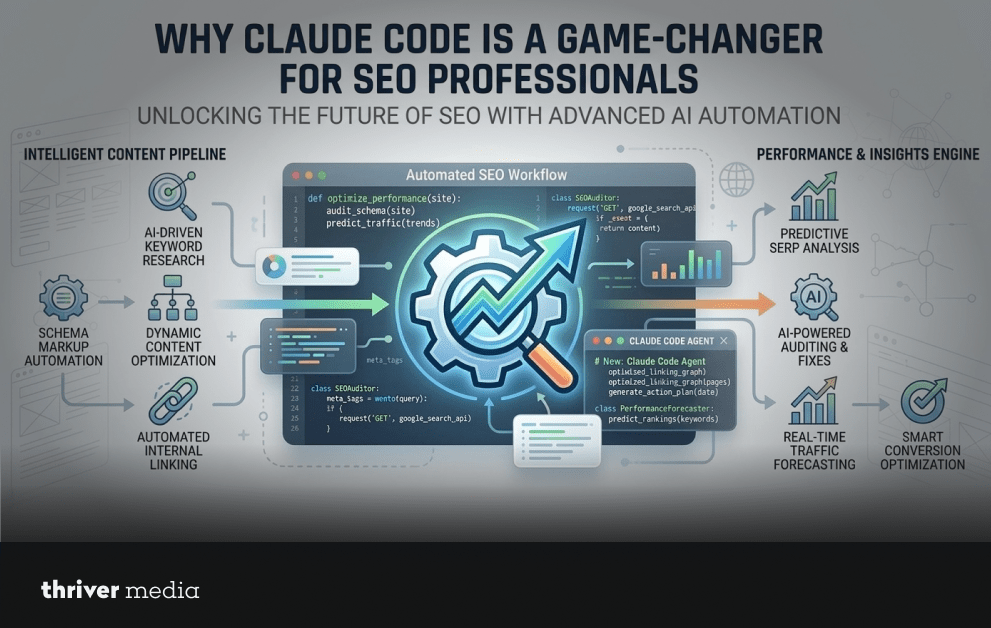
SEO involves a large volume of repetitive, data-intensive tasks that follow consistent logical patterns. This makes SEO one of the most automatable disciplines in digital marketing, and Claude Code one of the most powerful tools for that automation.
The Problem With Traditional SEO Workflows
Most SEO teams spend disproportionate time on tasks that could be automated: pulling data from multiple platforms, combining spreadsheets, writing the same structural content elements (meta descriptions, H1s, schema markup) at scale, and producing recurring reports. These tasks are not strategic; they are operational. Claude Code handles the operational layer so professionals can focus on strategy.
SEO Task Comparison: Traditional vs. Claude Code
| SEO Task | Traditional Method | Claude Code Approach | Time Saved | Diff. |
| Keyword Research | Manual Google Search | Claude Code + APIs | Seconds | ✓ |
| Meta Tag Generation | Write one-by-one | Batch generation script | Minutes | ✓ |
| Content Gap Analysis | Spreadsheet comparison | Automated diff & report | Minutes | ✓ |
| Schema Markup | Hand-coded JSON-LD | Auto-generated structured data | Seconds | ✓ |
| Internal Link Audit | Manual crawl | Script + sitemap parse | Minutes | ✓ |
| Rank Tracking Report | Copy-paste from tools | Automated CSV + insights | Minutes | ✓ |
The table above illustrates the most common SEO tasks where Claude Code delivers measurable time savings. In every case, the improvement is not just speed; it is consistency. Automated outputs follow the same logic every time, eliminating the human variability that leads to inconsistent metadata, skipped schema tags, or incomplete audits.
Full Capabilities of Claude Code for SEO Automation
Claude Code’s applications in SEO span every major discipline: technical SEO, content optimization, off-page strategy, and analytics. Below is a comprehensive breakdown of its core capabilities and their real-world SEO impact.
| Capability | Description | SEO Impact | ROI |
| Keyword Clustering | Groups semantically related keywords into topic clusters automatically | High | ★★★ |
| SERP Scraping | Extracts competitor data from search engine results pages at scale | Medium | ★★★ |
| Meta Optimization | Generates optimized title tags and meta descriptions in bulk | High | ★★★ |
| Schema Generation | Produces valid JSON-LD structured data for any page type | High | ★★★ |
| Content Briefs | Creates data-driven briefs from keyword + SERP analysis | High | ★★★ |
| Log File Analysis | Parses server logs to identify crawl inefficiencies | Medium | ★★★ |
| Link Prospecting | Automates outreach target discovery from competitor backlinks | Medium | ★★★ |
| Redirect Mapping | Matches legacy URLs to new equivalents using fuzzy logic | High | ★★★ |
Technical SEO Automation
Technical SEO has always been the most code-adjacent discipline in the field, making it the most natural starting point for Claude Code automation. Common applications include:
- Crawl Budget Optimization: Claude Code parses server log files to identify which URLs are being crawled unnecessarily and flags pages wasting crawl budget.
- Canonical Tag Audits: It scans an entire site’s HTML to detect missing, incorrect, or conflicting canonical tags and generates a remediation report.
- Core Web Vitals Analysis: By connecting to the PageSpeed Insights API, it pulls CWV data for hundreds of URLs and identifies the slowest pages with specific improvement recommendations.
- XML Sitemap Generation: It builds custom sitemaps from a URL list, assigning priority scores and lastmod dates based on Google Analytics traffic data.
Content SEO and Keyword Strategy
Content strategy benefits enormously from Claude Code’s ability to process large datasets quickly. Where a human analyst might manually review 50 keywords in an hour, Claude Code processes thousands in minutes, applying clustering logic, search intent classification, and competitive gap analysis simultaneously.
- Keyword Intent Mapping: Classify thousands of keywords by informational, navigational, commercial, or transactional intent using semantic analysis.
- Content Gap Detection: Compare your site’s ranking keywords against competitors to identify high-value topics you are not covering.
- SERP Feature Analysis: Scrape SERP results for target keywords and identify which feature types (featured snippets, PAA boxes, local packs) are present and how to optimize for them.
- Content Brief Generation: Combine keyword data, competitor outlines, and search intent to produce detailed briefs ready for writers.
On-Page SEO at Scale
Generating optimized on-page elements across hundreds of pages is one of Claude Code’s strongest applications. Unlike generic AI writing tools, Claude Code applies your specific rules, character limits, brand voice, and keyword targets consistently across every page.
- Feed Claude Code a spreadsheet of page URLs, primary keywords, and page types.
- Specify your title tag formula: [Primary Keyword] | [Brand Name] or [Benefit] [Primary Keyword].
- Specify meta description requirements: 140-155 characters, include CTA, no keyword stuffing.
- Claude Code generates compliant metadata for every URL and exports to a CSV ready for upload.
Schema Markup and Structured Data
JSON-LD schema markup is one of the most underutilized on-page SEO tactics, primarily because generating it at scale is tedious. Claude Code eliminates that barrier by writing valid schema markup for any page type, Article, Product, FAQ, HowTo, LocalBusiness, Event, based on the page content you provide.
Pro Tip
Use Claude Code to automatically generate an FAQ schema from your existing FAQ sections. Feed it a list of question-and-answer pairs from your pages, and it outputs valid JSON-LD you can paste directly into your <head> tag or a GTM variable. This single workflow can earn you SERP enhancements across dozens of pages in under an hour.
Claude Code + SEO Tool Pairings: The Practical Stack
Claude Code works best when paired with existing SEO data sources and APIs. The table below maps the most productive tool pairings for common SEO use cases, along with the competitive advantage each delivers.
| Use Case | Claude Code Stack | Traditional Tool | Key Advantage | Win |
| Keyword Research | DataForSEO API + Claude Code | Google Keyword Planner | 10x Faster | ✓ |
| Content Optimization | Claude Code + Screaming Frog | SurferSEO | 60% Cost Saving | ✓ |
| Technical Audit | Claude Code + Python + GSC | Semrush Site Audit | Fully Customizable | ✓ |
| Backlink Analysis | Claude Code + Ahrefs API | Manual Review | Scalable | ✓ |
| Rank Reporting | Claude Code + SERP API | Manual Rank Tracker | Daily Automation | ✓ |
| Schema Markup | Claude Code + Validators | Yoast Plugin | Any Page Type | ✓ |
The most effective Claude Code SEO stacks combine at least one data source (GSC, Ahrefs, Semrush, DataForSEO), one crawling tool (Screaming Frog, Sitebulb, or a custom Python crawler), and Claude Code as the processing and output layer. This architecture costs a fraction of enterprise SEO platforms while offering greater flexibility and customization.
Step-by-Step: Your First Claude Code SEO Automation
This section walks through a practical, beginner-friendly workflow using Claude Code to automate bulk meta tag generation, one of the most common and high-impact SEO tasks.
Step 1: Install and Configure Claude Code
Claude Code is installed via npm (Node Package Manager). Open your terminal and run:
Terminal Command
npm install -g @anthropic-ai/claude-code. Then, authenticate: anthropic login.
Step 2: Prepare Your Data
Export a spreadsheet from your CMS or crawling tool with the following columns: URL, Page Type, Primary Keyword, Secondary Keywords, Word Count. Save it as pages.csv in a working directory.
Step 3: Prompt Claude Code
In your terminal, navigate to your working directory and start Claude Code. Then describe your task in plain English:
Example Prompt
“Read pages.csv. For each row, generate an SEO-optimized title tag (50-60 characters, include the primary keyword near the front) and a meta description (140-155 characters, include a call to action and the primary keyword). Export the results to meta_output.csv with columns: URL, Title Tag, Meta Description, Character Counts.”
Step 4: Review and Iterate
Claude Code will write the Python script, run it, and produce your output file. Review the first 10-15 rows. If you want adjustments, a different tone, different CTA phrasing, stricter character limits, simply tell Claude Code what to change, and it will rewrite and re-run the script automatically.
Step 5: Upload and Monitor
Import the completed meta_output.csv into your CMS using the bulk editor or API. Schedule the task to repeat monthly for new pages, and connect GSC data to track CTR improvements over the following 90 days.
Honest Limitations: What Claude Code Cannot Do
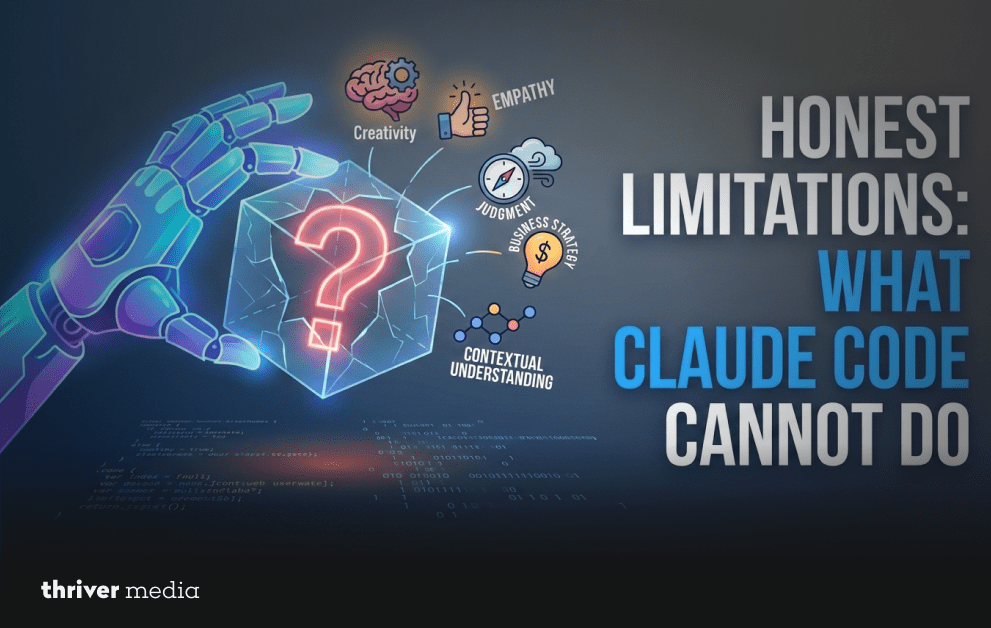
A complete educational guide must address limitations honestly. Claude Code is a powerful tool, but it operates within real constraints that SEO professionals should understand before building workflows around it.
- Context Window Limits: Extremely large datasets (millions of rows) can exceed model limits, so enterprise projects require chunking strategies.
- No Real-Time Index Access: The system cannot query Google’s index directly and instead relies on APIs like GSC or third-party tools, which have their own delays and data limits.
- Content Accuracy Risk: AI-generated text may sound correct but contain factual errors, so human review before publishing is essential.
- API Rate Limits & Costs: High-volume automation that calls external APIs frequently may trigger rate limits or additional usage costs.
- No Visual Page Rendering: It reads HTML source rather than a fully rendered page, which may miss JavaScript-generated content issues.
- Terminal Familiarity Needed: Coding isn’t required, but basic command-line navigation (cd, ls, running commands) helps avoid a learning curve.
Frequently Asked Questions (FAQs)
Do I need to know how to code to use Claude Code for SEO?
No. Claude Code lets you describe tasks in plain English and handles the coding, though basic terminal knowledge helps run commands.
How does Claude Code compare to dedicated SEO platforms like Semrush or Ahrefs?
Semrush and Ahrefs provide SEO data platforms, while Claude Code acts as an automation layer that processes their API data and workflows more flexibly.
Can Claude Code generate SEO content (blog posts, landing pages)?
Claude Code can create SEO-structured content, but it should always be reviewed and edited by humans to ensure originality, quality, and stronger E-E-A-T signals.
What APIs work best with Claude Code for SEO automation?
Claude Code can automate SEO data by integrating APIs like Google Search Console, GA4, Ahrefs, DataForSEO, PageSpeed Insights, and Screaming Frog.
Is Claude Code suitable for enterprise-scale SEO operations?
For enterprise SEO at scale, Claude Code acts as the intelligent core in automated pipelines scheduled with cron or Airflow, linked to cloud storage, and monitored with logging for millions of URLs.
Bottom Line
Claude Code marks a real shift in what SEO professionals can accomplish with the right tools. Its core value is simple: tasks that once took hours can now be completed in minutes, and work that previously required a developer can often be handled directly by technically curious marketers.
The people who gain the most from it aren’t necessarily the most technical. They’re the ones who can clearly describe their workflows and test improvements step by step. The system responds best to precise instructions the clearer the request, the better the result.
This approach fits naturally with how experienced SEO professionals already work. Writing clear, outcome-focused instructions is the same skill used when briefing writers, developers, or analysts. With the right structure, that same clarity can now drive automated workflows and scalable processes.
Key Takeaway
Claude Code is not a shortcut that replaces SEO expertise. It is an amplifier that multiplies the output of SEO expertise. The strategy, judgment, and interpretation still come from you. Data processing, code development, and repetitive execution are provided by Claude Code.
For teams currently spending more than 30% of their time on operational and reporting tasks, Claude Code automation is likely the highest-ROI investment available. For solo consultants competing against larger agencies, it is a genuine competitive equalizer.
Conclusion: The Future of SEO Is Automated But Still Human
The SEO industry is entering a period of major change. AI-generated content is flooding the web, search algorithms are becoming smarter, and the gap between strong and weak content keeps widening. In this environment, efficiency alone isn’t enough. What matters is balancing scale with quality producing more content quickly while maintaining accuracy, insight, and expertise that search engines reward.
Tools like Claude Code operate at this intersection. Automation handles the scale, while SEO professionals ensure the strategy, context, and quality. When used together, they create a workflow that neither could achieve alone.
Getting started is simple: install the tool, start with one clear task, review the results, refine your prompts, and expand automation step by step. There’s no need to automate everything at once. Begin with small improvements like optimizing meta tags, generating schema markup, or creating reporting scripts using Search Console data. Each step builds on the last, and over time you’ll develop a customized workflow tailored to your clients, content types, and strategic priorities something generic platforms rarely deliver.
Professionals who adopt automation tools now are building systems that grow more valuable over time. Those who delay may find themselves competing with teams that can produce more, analyze faster, and maintain greater consistency.
The future of SEO belongs to the professionals who understand that artificial intelligence is not a threat to their expertise; it is the best tool for expressing it at scale.
Disclaimer: The news and information presented on our platform, Thriver Media, are curated from verified and authentic sources, including major news agencies and official channels.
Want more? Subscribe to Thriver Media and never miss a beat.