

20th April 2026
The exact system that turns LinkedIn from a time sink into your most reliable freelance client pipeline.

Most freelancers are terrible at finding clients on LinkedIn. Not because the platform doesn’t work but because they use it wrong. They scroll aimlessly. They connect with strangers. They paste the same pitch into 40 inboxes and pray someone bites. Nobody bites. Meanwhile, a small group of freelancers are booking calls every week using the same platform. The difference? They’re not “networking.” They’re running a system and that system starts with Sales Navigator.
LinkedIn Sales Navigator isn’t just a premium badge on your profile. It’s a prospecting engine advanced filters, lead tracking, activity alerts, and InMail access that the free version doesn’t come close to matching. But the tool alone won’t save you. Without a strategy behind it, you’re just paying $99/month to scroll more efficiently.
This post breaks down the three things that actually move the needle. Not theory. Not “tips.” Three specific actions you can start today to find the right clients, reach them in a way that earns a reply, and follow up until the deal closes.
Secret 1: Laser-Target Your Ideal Clients with Advanced Filters
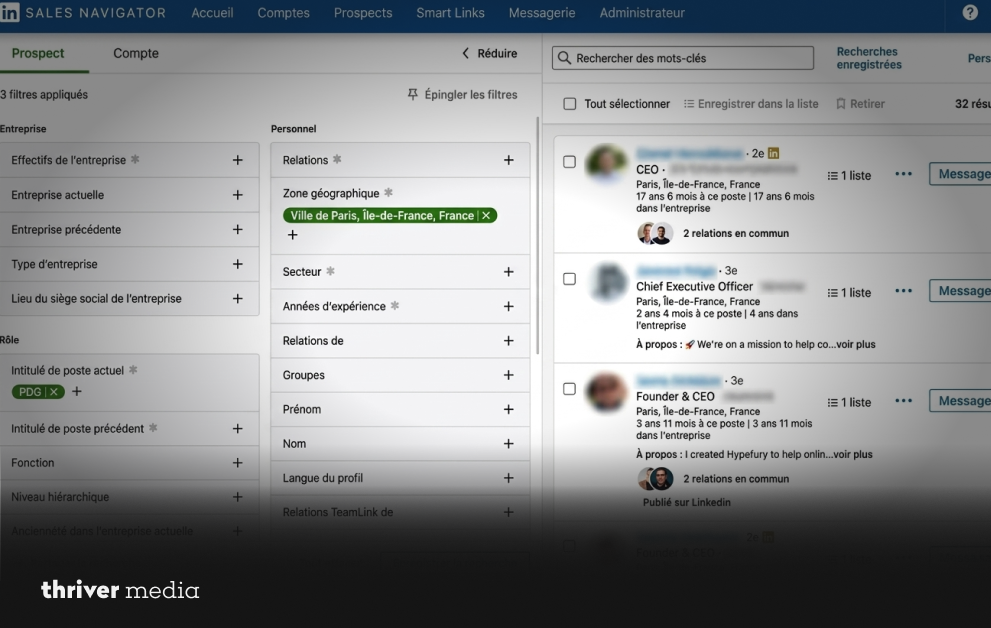
The fastest way to waste time on LinkedIn? Connect with everyone. No filter, no focus, no strategy. You end up with a network full of people who will never, ever hire you. Sales Navigator exists to fix that. It gives you over 30 lead and account filters to build a list of people who actually match your ideal client profile.
What to Do Right Now
Open the Lead Filters panel in LinkedIn Sales Navigator. Don’t just search layer filters. That’s where precision comes from.
✓ Job Title + Seniority Level:
Go straight to decision-makers. Target “Head of Marketing,” “VP Growth,” or “CMO.” They control budgets others don’t.
✓ Company Headcount:
11–200 employees is the sweet spot. Enough budget, not enough in-house coverage. That gap is your entry point.
✓ Industry + Geography:
Focus on industries where your work solves real problems. Add location if needed. Each filter removes noise and sharpens your list.
✓ Spotlight Filter (Posted in Past 30 Days):
This shows active users people who will actually see and respond to your message.
Pro Tip:
Save your search. LinkedIn Sales Navigator will send alerts when new leads match your pipeline grows without daily digging.
Reality Check:
Client hunting isn’t about more leads it’s about the right leads, found faster.
The whole point is this: stop talking to everyone. Start talking to exactly the right people. Your close rate goes up the moment your targeting gets specific.
Secret 2: Write Outreach That Feels Personal Not Like a Sales Blast
You’ve built a sharp prospect list. Great. Now here’s where most freelancers destroy their chances. They open LinkedIn messaging and send something like: “Hi, I help companies with [service]. Would you be interested in a quick call?” The prospect reads three words, recognizes the template, and moves on. Conversation over before it started.
Sales Navigator gives you something the free version doesn’t context. You can see what a prospect has posted, what they’ve commented on, what company news is happening. Use that. It’s the difference between sounding like a bot and sounding like someone who actually pays attention.
The Outreach Framework That Gets Replies
✓ Study activity using LinkedIn Sales Navigator:
Before you write anything, spend 60 seconds on the lead page in LinkedIn Sales Navigator. Check recent posts, company updates, and hiring signals this is what makes your message stand out.
✓ Open with relevance, not a pitch on LinkedIn:
Your first line should prove you’ve done the work. Reference something specific they shared or achieved. LinkedIn Sales Navigator gives you that context use it.
✓ Deliver value in message two with LinkedIn Sales Navigator insights:
Don’t sell immediately. Share a quick observation, a useful idea, or a small win they can apply. This is where LinkedIn Sales Navigator helps you move from stranger to trusted.
✓ Keep it short and clear in LinkedIn outreach:
Three to five sentences max. LinkedIn inboxes reward clarity, not essays say what matters and stop.
Reality Check:
Better outreach isn’t about saying more it’s about saying the right thing, at the right time, with the right context.
Your first two messages have one job: start a conversation that the prospect wants to continue. Not close a deal. Not pitch a service. Just make them curious enough to reply.
SECRET #3
Secret 3: Follow Up Consistently That’s Where Deals Actually Close
Here’s the part nobody wants to hear. Most freelancers quit after one unanswered message. They assume silence means “no.” It doesn’t. It means “not yet” or “I’m busy” or “I forgot.” The data is clear most deals close on the third, fourth, or fifth touchpoint. If you’re stopping at one, you’re leaving money sitting there.
Build a Follow-Up System That Runs Itself
✓ Organize leads into pipeline stages in LinkedIn Sales Navigator:
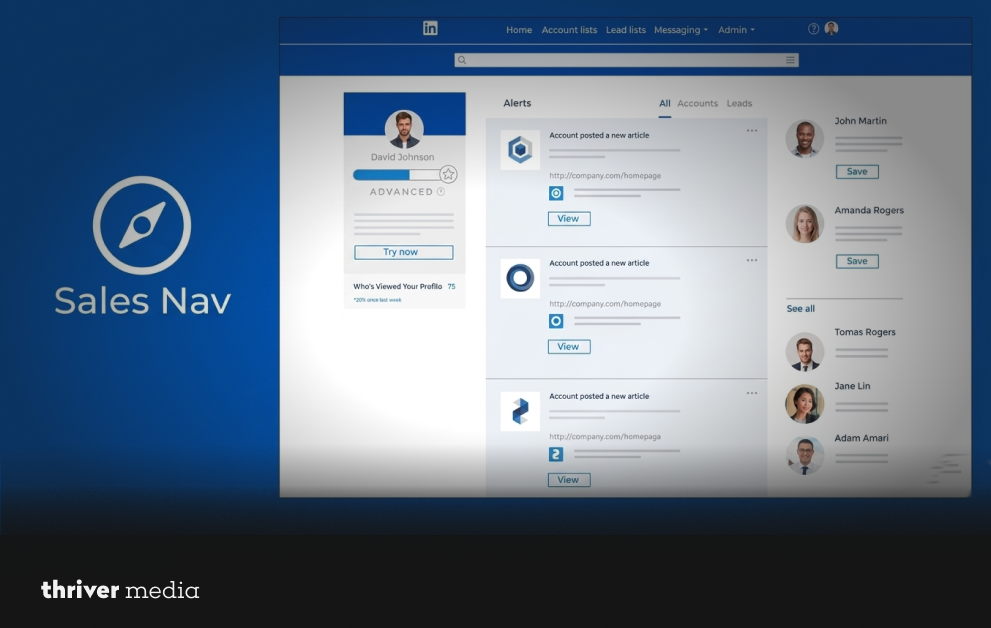
With LinkedIn Sales Navigator, save prospects into Lead Lists and move them through stages like “Connected,” “Replied,” “Interested,” and “Call Booked.” This keeps your LinkedIn Sales Navigator pipeline clear and actionable.
✓ Follow up every 4–7 days using LinkedIn Sales Navigator insights:
Stay consistent without being pushy. Each follow-up should add value—share a case study, insight, or quick observation. LinkedIn Sales Navigator helps you track timing so nothing feels random.
✓ Engage with content to stay visible on LinkedIn Sales Navigator:
Before sending another message, interact with their posts. A smart comment or reaction builds familiarity, making your LinkedIn Sales Navigator outreach feel natural, not cold.
✓ Use Notes and Tags inside LinkedIn Sales Navigator:
Tag leads with reminders like “Follow up May 2” or “Send audit.” LinkedIn Sales Navigator turns scattered conversations into a structured system you can rely on.
Reality Check:
Closing clients isn’t about perfect first messages it’s about consistent follow-ups. LinkedIn Sales Navigator gives you the system, but discipline is what actually wins.
Consistency isn’t glamorous. But it’s the single biggest predictor of whether your LinkedIn outreach converts into real revenue. Show up with value, again and again, and the deals come.
Quick Reference: The 3-Secret System
| Secret | Action | Sales Navigator Feature | Result |
| Laser Targeting | Layer filters by title, seniority, headcount, industry & activity | Lead Filters, Saved Searches, Spotlight Alerts | A tight list of decision-makers who match your ideal client |
| Personal Outreach | Use prospect’s activity and context to personalize every message | Lead Activity Feed, InMail, Recent Posts View | Higher reply rates, real conversations, zero spam triggers |
| Follow-Up System | Track leads in lists, follow up with fresh value every 4–7 days | Lead Lists, Notes & Tags, Real-Time Alerts | Pipeline stays moving — conversations turn into booked calls |
Frequently Asked Questions
What is LinkedIn Sales Navigator and why should freelancers use it?
It turns random networking into precise client targeting and intentional outreach.
How do I find high-paying clients on Sales Navigator?
Focus on decision-makers in growing companies where your service solves costly problems.
How many outreach messages should I send per day on LinkedIn?
Send fewer, highly personalized messages quality conversations close clients faster.
The Bottom Line
Winning freelance clients on LinkedIn comes down to two things: precision and consistency. Not mass messaging. Not posting and praying. You use Sales Navigator to find exactly the right people. You reach out with messages that prove you’ve done your homework.
And you follow up with value, with patience, with a system that doesn’t let anyone slip through the cracks. That’s it. That’s the whole game. The freelancers who do this daily are the ones who never run out of clients.
Wrapping Up
There’s no secret handshake. No viral hack. No shortcut. There’s a system and it’s simpler than you think. Use Sales Navigator’s filters to zero in on decision-makers who actually need what you offer. Write outreach that sounds like a real person, not a marketing funnel. Follow up consistently, always bringing something to the table.
Do those three things every weekday for 60 days. That’s all it takes. Clients won’t just come to you they’ll come to you faster, ready to work, because you showed up the way nobody else does. Stop scrolling. Start closing.
Contact Thriver today and let’s start building rankings that last.
Want more? Subscribe to Thriver Media and never miss a beat.